Write in Markdown. See the note.
Type # for a heading, - for a list, [] for a checkbox. The symbols vanish as you type, and the note stays a plain text file.
Floating Markdown notes for Mac.
One shortcut to open. Escape to get back to work.
Free during beta. macOS 26 or later. Or install with Homebrew.
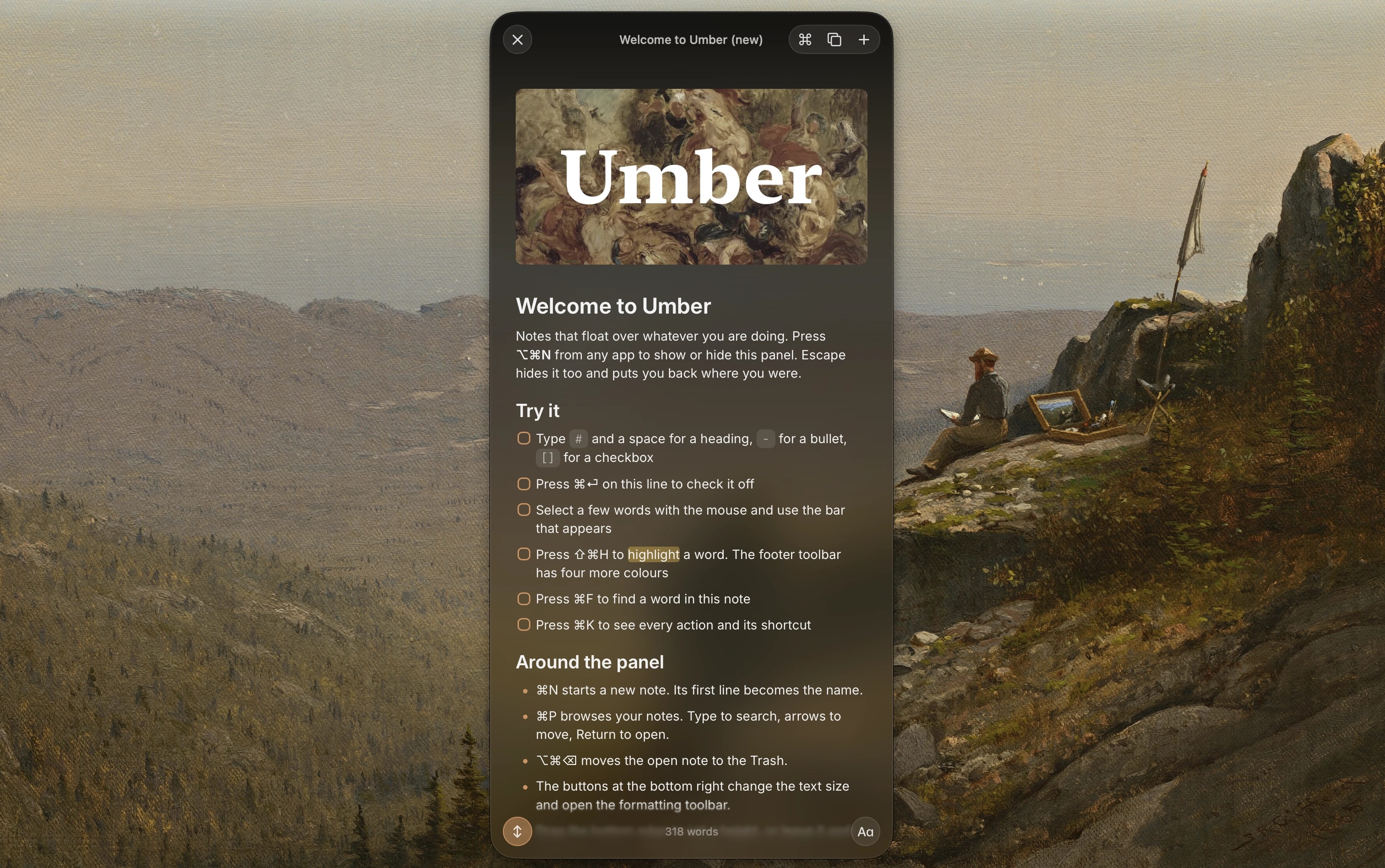
Umber floats over whatever you are doing, from any app. No window to find.
The first line becomes the title. The note saves itself as you go.
The panel hides and the cursor lands where you left it. Bring it back with the same shortcut.
A proper editor with headings, lists, checkboxes, images, and tables. All of it reachable from the keyboard.
Every tile is something Umber does today.
Type # for a heading, - for a list, [] for a checkbox. The symbols vanish as you type, and the note stays a plain text file.
Search for anything Umber can do. Each action shows its shortcut, so you pick them up as you go.
Mark what matters in yellow, green, blue, pink, or purple. Highlights live in the file, so they show up in other apps too.
Select some text and a small bar appears with bold, italic, link, and highlight. Headings, lists, and quotes sit in the footer toolbar.
Type to search the note. Enter jumps to the next match, Escape puts the field away.
Paste or drop an image and it shows up in the note, saved beside your files. Tables look like tables.
Search by title and arrow through the list. Rename or trash a note without leaving it.
Set a shortcut in Settings and whatever you last copied becomes a new note, without opening the panel.
Copy the note as Markdown for a chat or a commit, or as rich text for Mail, Pages, and Notes.
The panel grows as you write and stops at the edge of the screen. Turn it off if you prefer a fixed size.
Every note is a Markdown file in a folder you choose. What you see in Umber is exactly what is on disk, so you can open the same notes in Finder, Obsidian, or any text editor.
Put the folder in iCloud Drive and your notes follow you. No account, no export, nothing to migrate later.
Free during beta, and a paid app later. Umber checks for updates on its own, whichever way you install it.
Requires macOS 26 or later.
Drag Umber into Applications. The beta is not notarized yet, so run this once before the first launch:
xattr -cr /Applications/Umber.appOne command and no quarantine step. Homebrew installs Umber and updates it with everything else.
brew install --cask mshll/tap/umberLater, brew upgrade umber brings the newest build.

Give it a little space.
Download for MacFree during beta. A paid app later.
Yes, Umber is free to download and use during beta. It will become a paid app later. Pricing and the transition from beta will be shared before launch.
Umber requires macOS 26 or later.
In a folder you choose on your Mac. Each note is a plain Markdown (.md) file, and pasted images go in an attachments folder next to them. Open, edit, copy, or move them with any other app.
Choose a folder in iCloud Drive or another file sync service. That service syncs your files. Umber has no sync service of its own and never asks for an account.
Umber reloads it. If you had unsaved changes in the panel at the same time, Umber keeps yours and saves the version from disk as a conflict copy, so nothing is lost.
Umber checks for updates on its own and installs them in place. Homebrew users can also run brew upgrade. The changelog lists every build.
The beta is signed but not notarized yet, so macOS quarantines the DMG. Homebrew installs skip this. For a DMG, drag Umber into Applications, then run xattr -cr /Applications/Umber.app once in Terminal.